Arena
Arenas and tactical combat
Find a match, choose your view and prepare for arena combat.
Reviewed
Custom-name artwork awaits client publication; fog-of-war artwork also requires the compatible Battle Server update. Sensor-only contacts remain anonymous. Commissioned-only force selection awaits client publication; stored units must finish recommissioning before arena use. Live spectator counts await compatible client, game-server and battle-server publication. The result-delivery reliability correction awaits the updated Battle Server and live acceptance. The background-connection ticket recovery correction awaits client publication and live acceptance. Accepted-identity ownership rendering and authoritative self-join rejection await the compatible client and Battle Server update. Automatic arena list and financial updates await compatible client, strategic and Battle Server rollout. Tournament disconnect lock release and requester-only arena resume notifications require compatible strategic and Battle Server updates. Arena access depends on your empire, permissions and supported screen. The scoped admin AI access and rejected-connection feedback update awaits compatible deployment. The elimination/reconnect and phase-clock corrections described here await a compatible game update. Terrain profiles for new maps and guarded public-arena updates are prepared locally and await compatible client/server deployment and the terrain migration. Monthly FFA/PVE rotation also awaits the compatible update and uses gentle vehicle-accessible maps after all player entries leave. Shared arena responsiveness changes await the updated Battle Server; visibility and phase limits are unchanged.
Choose a supported screen
With the arena responsiveness update, fog-enabled arenas do less repeated work when you move or fire. Use the same controls and wait for the server to accept each order. Visibility, targeting and phase time limits remain the same. This update awaits the compatible game-server release; response time also depends on the battle and your connection.
Open Forces → Arenas on a desktop, laptop or landscape tablet. Arena setup and battle are blocked on phone-sized portrait and very short landscape screens. You can read the wiki on a phone and return to a larger display for the match.
Browse and enter
Arena Setup separates available and current matches and includes tabs for Tournaments, monthly leaderboards and badges. Read the selected arena's rules, entry conditions and any financial commitment before joining.
After the next client and Battle Server update, your own open arena offers Cancel, and you cannot join it as your own opponent. Once another empire joins, either participant can use Re-Join to return. Switching empire updates the displayed ownership actions automatically.
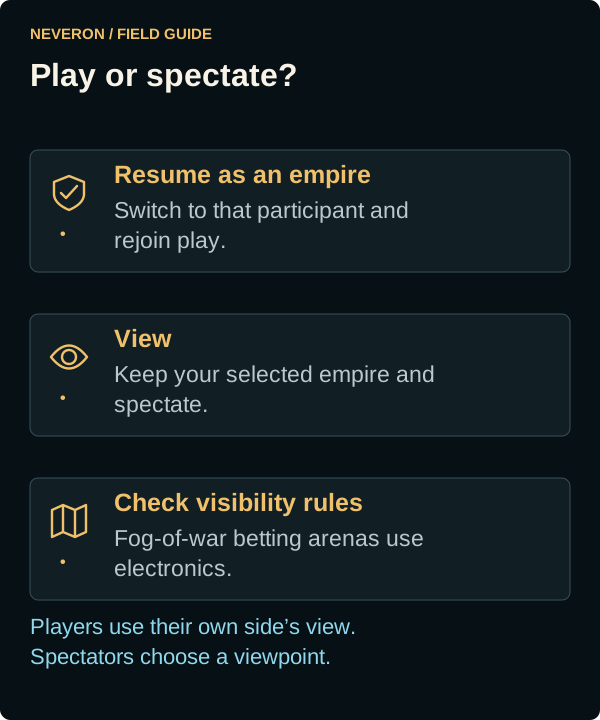
Resume as an empire switches to that participant before rejoining. View keeps you spectating with your selected empire. These actions do different things; choose the participant you intend to command.
After the spectator-count update: In-progress match cards show a larger spectator icon and the number of connected spectators beneath View, Watch battle or your entry button, including zero. Each account counts once; fighters are excluded. Counts update automatically as people enter or leave. A dash means the current count is unavailable. Waiting and finished cards do not show the badge.
Monthly public arena maps
After the monthly map update is deployed, FFA and PVE each receive a new map once per calendar month, using UTC. Rotation waits until every player entry has finished and left, including disconnected entries. The next empty-arena check then replaces the map; active entries are not ended for rotation. FFA and PVE can change at different times.
Monthly maps cycle through Plains, Forest, River and Mountain with fresh layouts. They use gentle terrain: at most two elevation levels, a 15% woods target, 2% rough terrain and narrow rivers. Cleared access paths can lower tree and rough coverage. Every generated map is checked for connected routes and at least 75% of its hexes reachable by wheeled vehicles without crossing woods, rough terrain or deep water. Tracked vehicles and mechs can use additional terrain according to their normal movement rules.
You do not need to request a new map or rejoin solely because the month changed. These monthly rotations await the compatible game update. Private and betting arenas keep their selected terrain.
Choose an available force
Neveron Arena creation and joining require available, commissioned units. Mothballed units and units still recommissioning cannot enter. To use stored units, complete recommissioning first.
After the arena selection correction is published, the unit, lance and company selectors exclude stored or unavailable units. Formation unit counts and BV include only eligible members. This prevents stored forces from being offered and then rejected with Unable to find units.
Choose terrain for a new match
The updated Training Arena and Neveron Arena creation forms offer a Terrain profile selector: Plains, Forest, River, Mountain or Legacy terrain. Plains favour open ground with scattered cover; forests provide substantial wooded areas; rivers provide waterways with dry crossings; mountains add ridges and steep barriers with open routes and sparse tree cover.
Neveron Arena density controls adjust the selected profile. High Woods or Hills makes cover or relief more pronounced. Water controls the river width on River maps; None removes that waterway. Existing matches retain their terrain. Public FFA and PVE maps can be changed by an administrator only after all player entries have finished and left, including disconnected entries.
For profile maps, None removes the selected terrain feature. Low normally uses 60% of the profile baseline, Medium uses 100% and High uses 130%. After the Forest woods update, new Forest maps instead target Low 30%, Medium 50% and High 70% wooded hexes before access paths are cleared; None removes woods. Cleared paths lower the final coverage. Other profiles and density controls keep their existing scaling. Forest with Low Woods can still have more woods than Plains with High Woods. Buildings keeps its original density control and uses eligible ground without blocking the protected routes.
The Forest woods update requires the compatible game update. Existing saved maps retain their trees; create a new Forest arena or ask an administrator to update an empty public arena to use the revised targets.
New profile maps use seeded Perlin noise for varied woods, hills and winding waterways, without a repeating terrain tile. Each newly generated map gets its own seed; reopening the same saved map keeps its layout. Existing matches keep their original terrain. After the compatible game update, an administrator can use Public Arena Terrain to generate a new PVE or FFA layout once all player entries have left.
Water Chance has no effect on Plains, Forest or Mountain profiles. On River it changes width rather than the chance of getting a river. Legacy terrain keeps the original parameter behaviour. The profile-control correction applies to matches created after the compatible update; already-created matches retain their generated terrain.
These terrain controls are prepared locally and require the compatible game update before they are available.
Combat rules reference
With the stacked-target update, clicking an enemy hex repeatedly cycles through the enemy units sharing it. The firing popup follows the selected unit and wraps back to the first. Fog-of-war views include only contacts available to your view. Check the unit name before choosing weapons.
Read Combat rules for movement, attack rolls, arcs, damage, physical attacks, heat, infantry, buildings and ejection. Push, Clear Woods, Ignite Terrain and Calm fire/smoke require the compatible game update. FFA and PVE disable tree destruction and ignition with the updated Battle Server; Clear Woods and Ignite Terrain are unavailable in those modes. Other wind types remain future reference.
Understand visibility
Betting arena cards show Full visibility or Fog of war. The creation dialog's Battlefield visibility → Fog of war enables sensors and jamming. Players use their own side's view automatically; spectators choose a viewpoint.
A sensor-only contact is an unknown unit with its weight-class colour. Visual sight, electronic detection and permission to attack are separate checks. Read the Sensors and jammers guide before relying on a contact as a firing solution.
Learn the controls and track results
Select a unit name to inspect its details. Vehicle variants can share their chassis image; use the displayed name and weapons to identify the variant. The Vargr APC LRM image correction requires the updated client.
After the custom-name icon correction, renamed units keep their design artwork on the map and in unit details, for spectators and both combatants. In fog-of-war battles, this applies to your own units and currently identified contacts; sensor-only contacts keep the unknown-unit symbol. Custom names still identify visible units. Full-visibility artwork requires the updated client; fog artwork requires the compatible client and Battle Server update.
The Tutorial Hub offers vehicle and mech combat tutorials. Use them to learn movement and attacks in the relevant battle context. Monthly leaderboards track arena performance, and Badges lets you choose which earned monthly award to display.
For a scheduled competition with identical temporary lances, read Monthly arena tournaments. Your tournament combat units and permanent strategic military are separate.
After elimination or a lost connection
With the result-delivery reliability correction, temporary interruptions delivering tournament results are retried without ending unrelated FFA/PVE battles. This correction awaits the updated Battle Server. A full Battle Server restart still starts fresh FFA/PVE battles; entering again after that restart can assign a new unit.
With the connection-recovery correction, returning from another application lets the arena reconnect after your main game connection recovers. If entry cannot be confirmed within 20 seconds, you return to Arenas with an Arena Unavailable message instead of waiting indefinitely with a missing unit. Enter the arena again to reconnect. This client correction awaits publication.
With the reconnect-grace update, a lost connection or refresh gives you one minute to return before AI takes over your human-controlled units. The match clock keeps running and orders you already submitted still resolve. Returning within that minute keeps your control. Using the arena Exit button keeps its immediate AI handoff. Units you deliberately assigned to AI stay under AI control. This change requires the updated client and Battle Server.
After the compatible server correction, rejoining an existing Training or Neveron Arena brings only the player who requested entry back into that match. Your opponent can rejoin when ready. If entry asks you to leave a tournament battle, exit that battle first. Leaving its last battle connection releases the entry lock without changing tournament attendance or deadlines.
After the compatible access update, a rejected battle connection returns to Arenas with an Arena Unavailable message. Check your selected empire and Combat access before trying again. A temporary login block may need time to expire.
A battle login block applies to your account across empires and arenas. Switching empires does not clear it. If it persists, contact an administrator instead of repeatedly retrying. The corrected block durations await the compatible game update.
FFA and PVE elimination ends your current entry. The final statistics stay on the results screen until you choose Exit Arena. Enter again deliberately when you want another unit.
The updated reconnect handling restores your final result if elimination happened while disconnected. If the previous entry is no longer available, leave the battle and enter again from Arenas. Reconnecting alone does not start another entry.
The phase clock catches up after a background tab or sleeping computer returns. Server updates determine the current phase and legal actions. These reconnect and clock improvements await the next compatible game update.
The next terrain update lets access paths follow natural elevations instead of carving a flat border or zero-height trenches. Gentle approaches keep river crossings usable. Hills set to None still deliberately makes the map flat. Existing saved arenas keep their layout until an appropriate terrain update is performed.
After the sparse-woods update, new Mountain maps start with a 5% woods target instead of 15%, before paths are cleared. Woods Low, Medium and High scale that target to 3%, 5% and 6.5%. Existing maps retain their trees until replaced with a newly generated map.
After the reduced-rough update, new Mountain maps use a 10% rough-terrain target instead of 30%. Rough Terrain Low, Medium and High scale it to 6%, 10% and 13%; None removes it. Woods and cleared paths can lower the final coverage. Mountain heights stay the same, and existing maps retain their recorded terrain.
After the mountain update, newly created Mountain maps have peaks and valleys of different sizes and steeper slopes away from the access paths. Hills controls their relief; None still makes the map flat. An arena already in progress keeps its saved terrain. Create a new Mountain arena, or have an administrator update an empty public arena, to use the revised mountains.
Match lists and cash updates
After the compatible game update, the Arenas list and the header's waiting and in-progress counts update when matches are created, joined, cancelled or completed. You can stay on your current page. Arena announcements do not require you to refresh.
Entry fees, accepted bets, payouts and refunds update the affected empire's cash and financial history. Spectators receive their own betting updates, including refunds when an arena is cancelled. Access continues to depend on your selected empire and permissions.